

🆕 What’s New
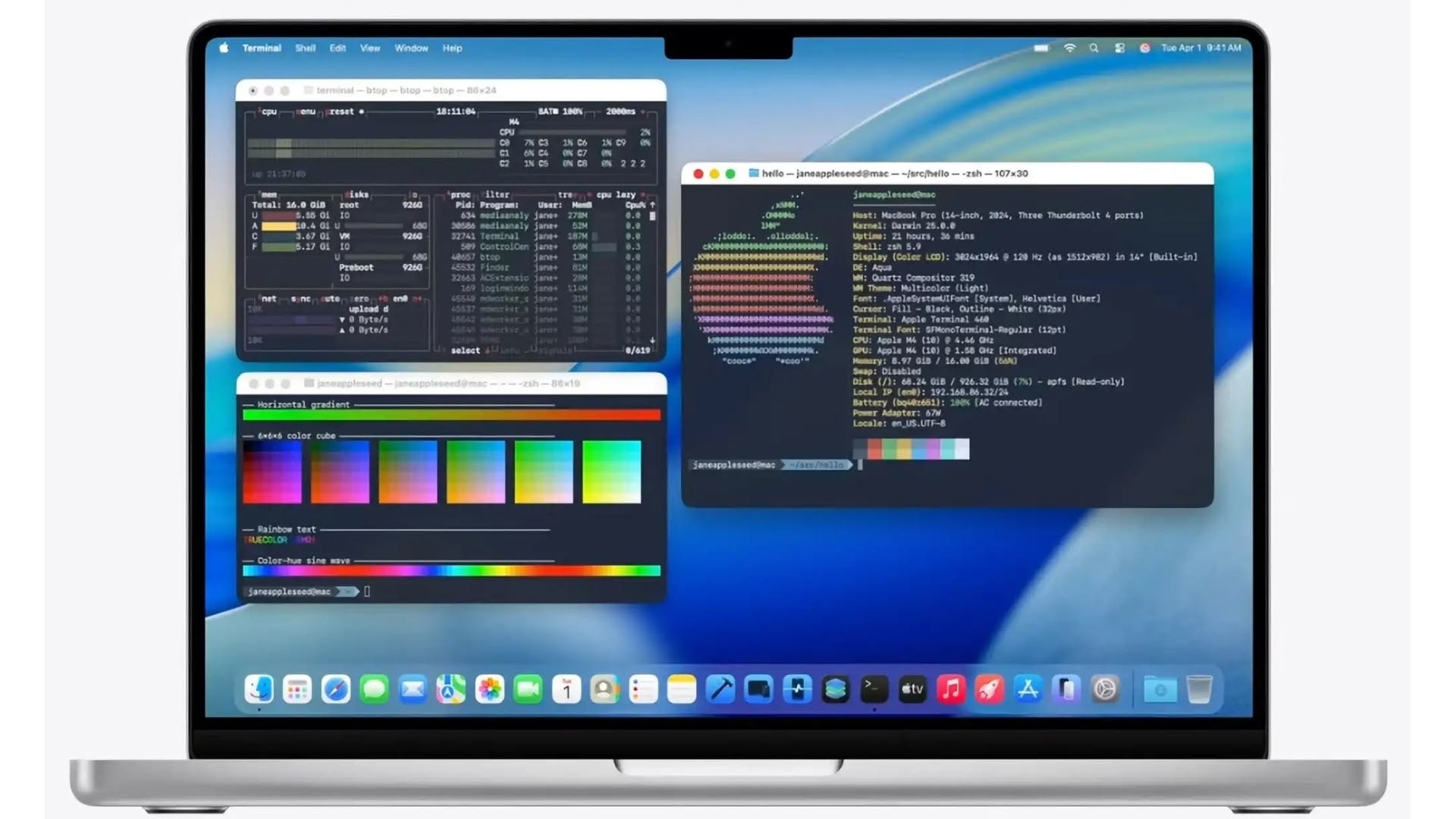
Apple's Terminal App Gets Colorful Redesign in macOS Tahoe
After years of staying virtually untouched, Apple’s Terminal app is finally getting a design update in macOS 26 (Tahoe). The new version supports 24-bit color, Powerline fonts, and adopts the Liquid Glass aesthetic introduced across the system. It also includes new customization options that enhance how system info is displayed.
Reactions across the community were mixed. Many welcome the change, especially developers who rely on CLI tools. Some still prefer third-party alternatives like iTerm2, noting that Apple’s updates are long overdue and don’t match the flexibility or visual fidelity of existing tools. Others joked about the “transparent” look making text harder to read, and called out the lack of Terminal on iPadOS 26. Still, it’s a positive step for macOS power users who’ve waited over two decades for Terminal to catch up.
📚 Must Read
How to Migrate from UIKit to SwiftUI in Large Projects
Moving to SwiftUI doesn’t have to be an all-or-nothing decision. In this article, I explain my step-by-step approach “From Leaves to Root”, starting with small reusable views and gradually replacing screens and flows. You’ll learn how to migrate your design system, reuse SwiftUI components in UIKit, and keep both platforms in sync. I also share how we supported the transition inside the team and reused existing UI tests to stay confident during the migration.
A practical guide based on real experience with large codebases.
Exploring tab bars on iOS 26 with Liquid Glass
iOS 26 introduces a new Liquid Glass design for tab bars, automatically applied when you compile with Xcode 26. This article explains how to adapt your layout using new modifiers like tabBarMinimizeBehavior and tabViewBottomAccessory, and gives practical tips for adding floating buttons that match the updated style. A useful read if your app relies on TabView and you want it to feel native on iOS 26.
Exploring the Secrets of layoutPriority in SwiftUI ZStack
Most iOS developers know how layoutPriority works in HStack and VStack, but its behavior in ZStack is less understood. This deep dive shows how ZStack uses layout priority not just for view overlap, but to determine the container’s overall size, unlocking dynamic layouts that adapt without switching views. A must-read if you want more control over SwiftUI layout mechanics.
🛠️ Toolbox
Stretchy header in SwiftUI with visualEffect
This article shows how to create a stretchy header in SwiftUI using the new visualEffect() modifier, no manual scroll tracking or shared state needed. With a clean .stretchy() extension, you can scale images dynamically during overscroll, making your UI feel more responsive and polished.
🍬 One More Thing…
Apple allows you to delay the Liquid Glass migration; this option will be removed next year.
Simply add UIDesignRequiresCompatibility = YES to your Info.plist and continue using the old UI for a bit longer.
🗳️ Weekly Poll
🗓 Upcoming Conferences
June
25–26 — FlutterCon USA (New York 🇺🇸)
September
2–4 — Swift Island (Texel 🇳🇱)
24–26 — FlutterCon Europe (Berlin 🇩🇪)
29–30 — Swift Connection (Paris 🇫🇷)
October
2–3 — ServerSide.swift (London 🇬🇧)
6–8 — SwiftLeeds (Leeds 🇬🇧)
24 — DevFest.cz (Prague 🇨🇿)
30–31 — Pragma Conference (Bologna 🇮🇹)
November
👋 That’s it for this week
If you enjoyed this issue of The iOS Weekly Brief, consider forwarding it to a colleague!
Until next Friday — keep shipping 🍏