

🆕 What’s New
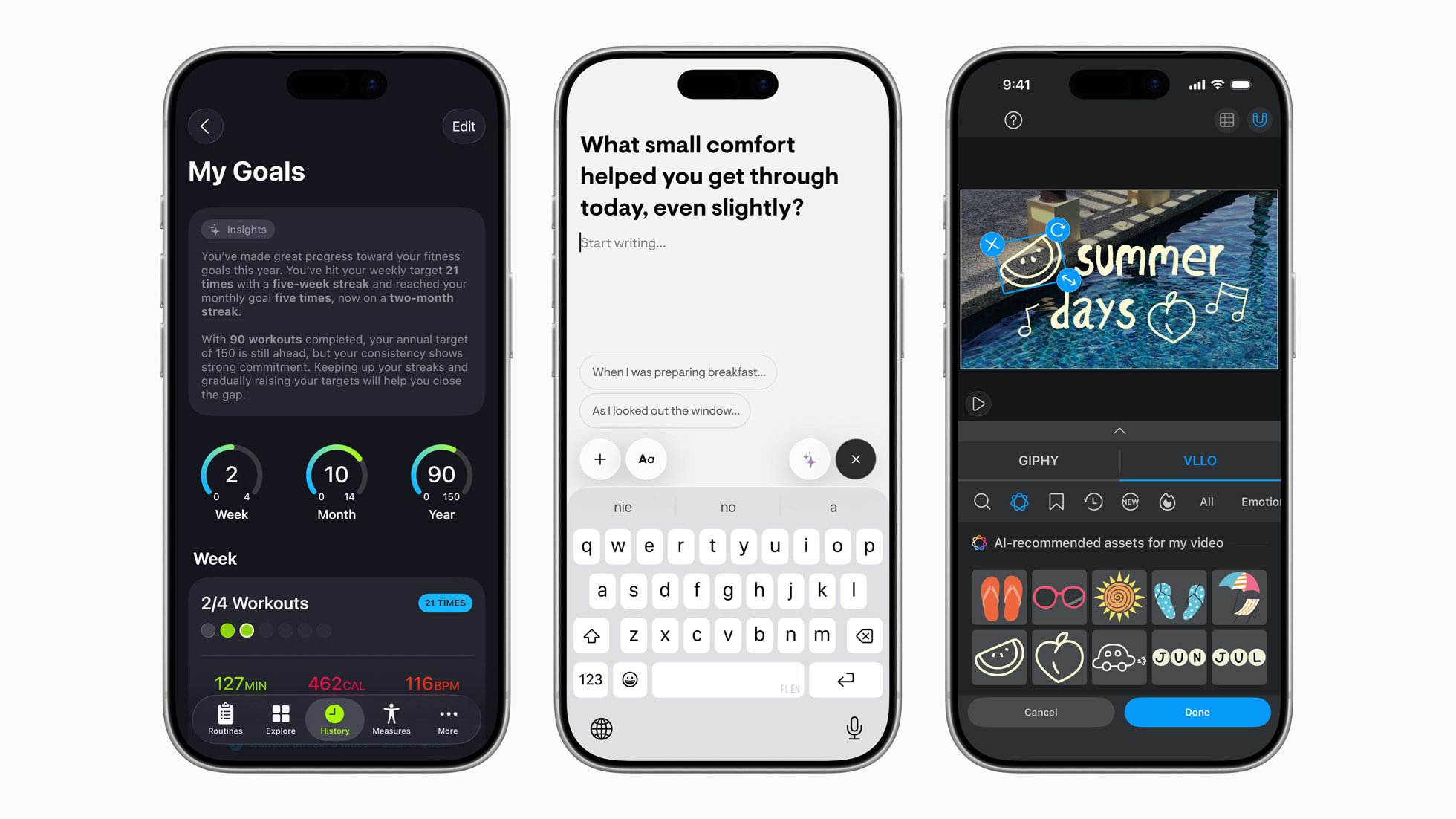
Apple’s Foundation Models framework unlocks new app experiences powered by Apple Intelligence
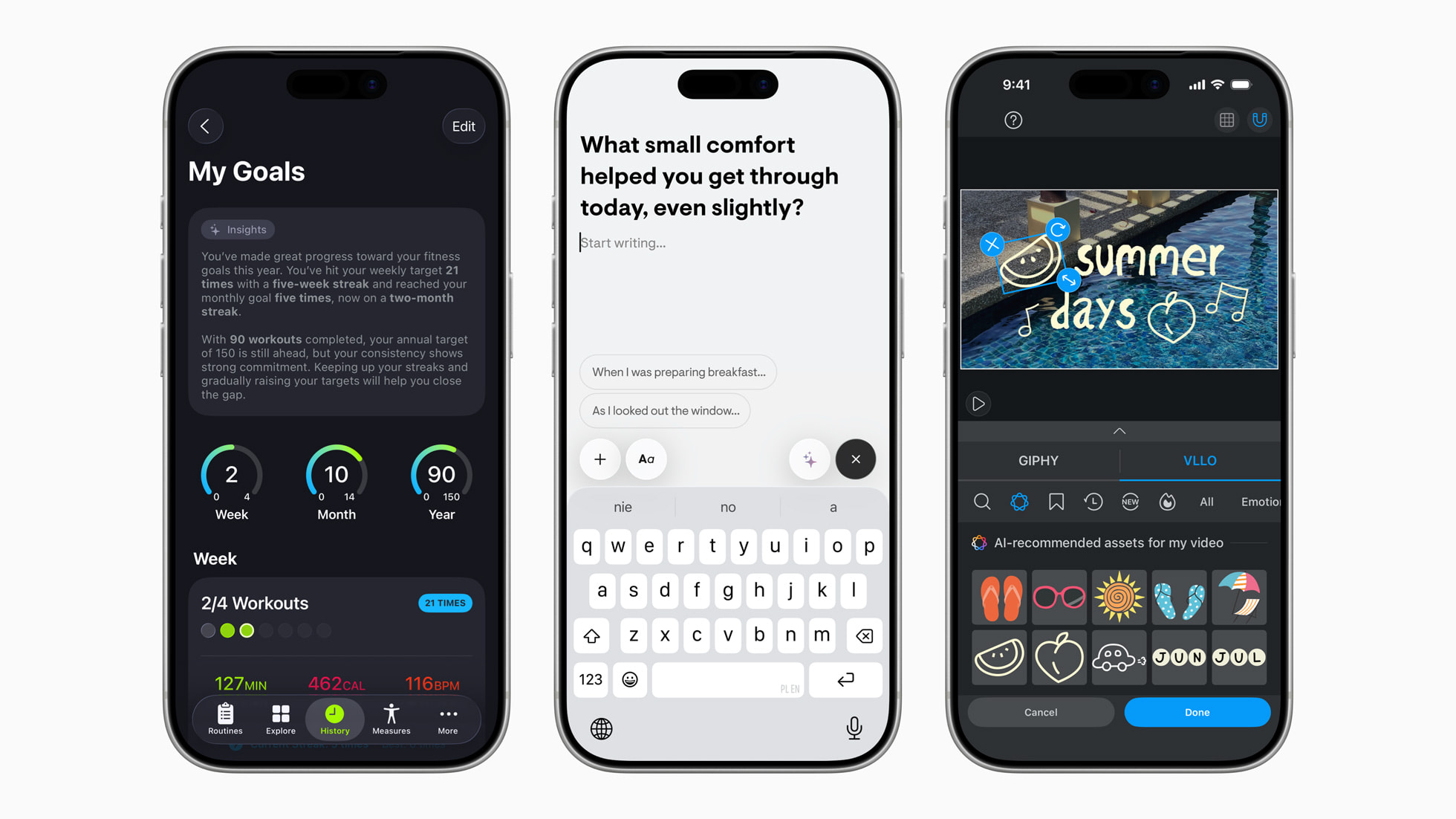
Apple’s Foundation Models framework is now part of iOS 26, a built-in AI engine that runs fully on a device. It works offline, keeps data private, and is free to use. Some apps showcase how developers can add intelligence into workouts, journaling, education, and even video editing.
📚 Must Read
Foundation Models profiling with Xcode Instruments
Profiling Foundation Models sessions is now possible with Xcode 26’s new Instruments support. This article walks through measuring response time, tool-calling performance, and how prewarming can cut latency when using Apple’s on-device models. If you’re going to add Apple Intelligence to your app, this is the kind of practical guide you’ll want to bookmark.
Derived Data: 5 Things iOS Developers Do Wrong
The Derived Data folder is one of those things we all know exists but rarely think about until Xcode starts acting up. Antoine shows 5 common mistakes developers make with it, from wiping everything instead of just a project’s folder to ignoring build performance metrics. A good reminder that understanding Derived Data can save time and improve build speeds.
Structuring universal links in iOS
Universal links often turn messy as an app grows, but this article shows a clean, type-safe way to structure them with enums and payloads. By centralizing parsing and tying links directly into your router, you get predictable navigation and easy unit testing. Useful guide if your app relies on deep linking and you want to keep it maintainable.
🛠️ Toolbox
Beyond Compare is one of those tools that saves you hours once you start using it. It lets you compare and merge files, folders, and even images or tables with clear visual diffing. I recently used it to resolve merge conflicts in a huge PR, and it made the process much less painful.
🍬 One More Thing…
Implementing draw animations for SF Symbols in SwiftUI
SF Symbols 7 introduces draw animations, letting icons animate as if they’re being sketched in real time. In SwiftUI, you can control whether the whole symbol, each layer, or individual parts animate, giving your UI a crafted, expressive feel. A small feature, but one that can make your app’s visuals stand out with almost no extra code.
🗳️ Weekly Poll
📊 Last Week’s Poll Results
How much effort do you put ASO for your apps?
Top Answer: I do some basics, but not much
🗓 Upcoming Conferences
October
6–7 — Swift Connection 2025 (Paris 🇫🇷)
6–8 — SwiftLeeds (Leeds 🇬🇧)
12–16 — New York App Week (New York 🇺🇸)
7-30 — Meet with Apple (Global 🌎)
24 — DevFest.cz (Prague 🇨🇿)
30–31 — Pragma Conference (Bologna 🇮🇹)
November
December
13–15 — Mobile Developers Week Abu Dhabi 2025 (Abu Dhabi 🇦🇪)
January
21–23 — iOS Conf SG (Singapore 🇸🇬)
February
10–12 — Arctic Conference (Oulu 🇫🇮)
March
April
12–14 — Try! Swift Tokyo 2026 (Tokyo 🇯🇵)
12–14 — Deep Dish Swift (Chicago 🇺🇸)
👋 That’s it for this week
If you enjoyed this issue of The iOS Weekly Brief, consider forwarding it to a colleague!
Until next Friday — keep shipping 🍏